소개
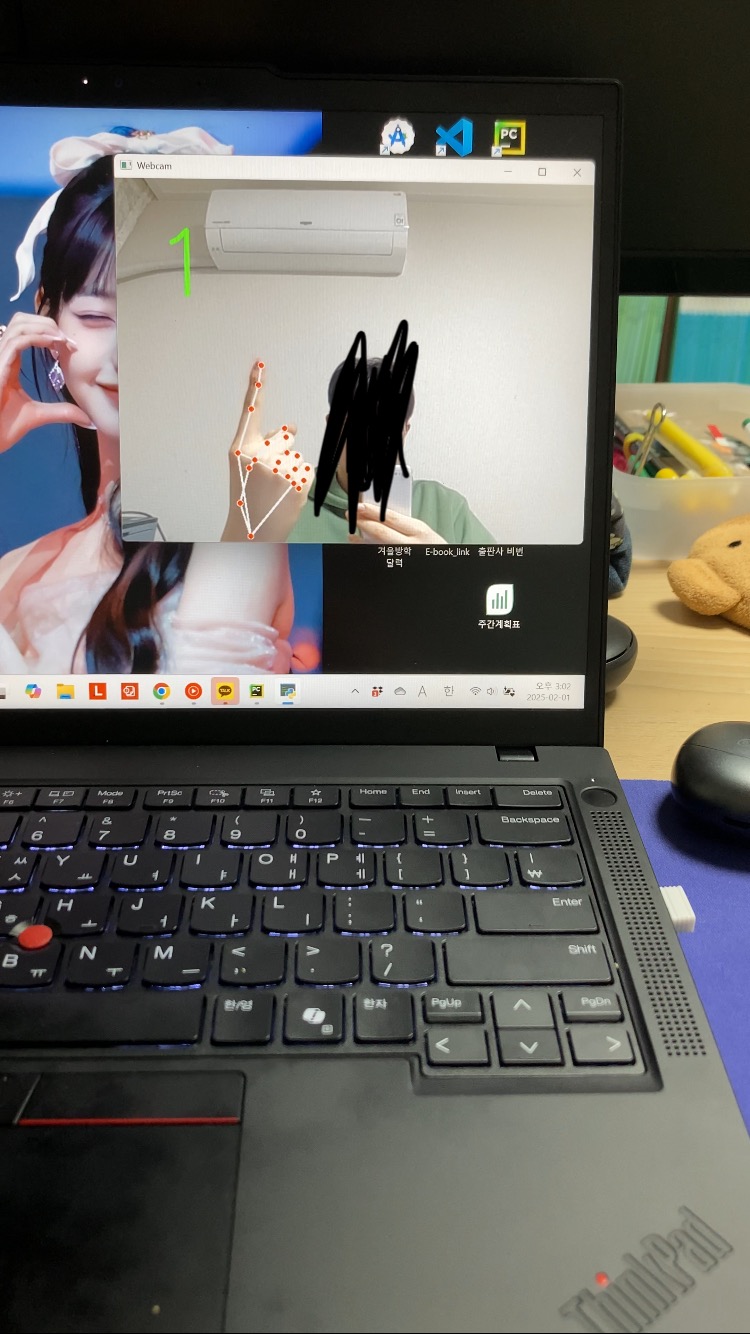
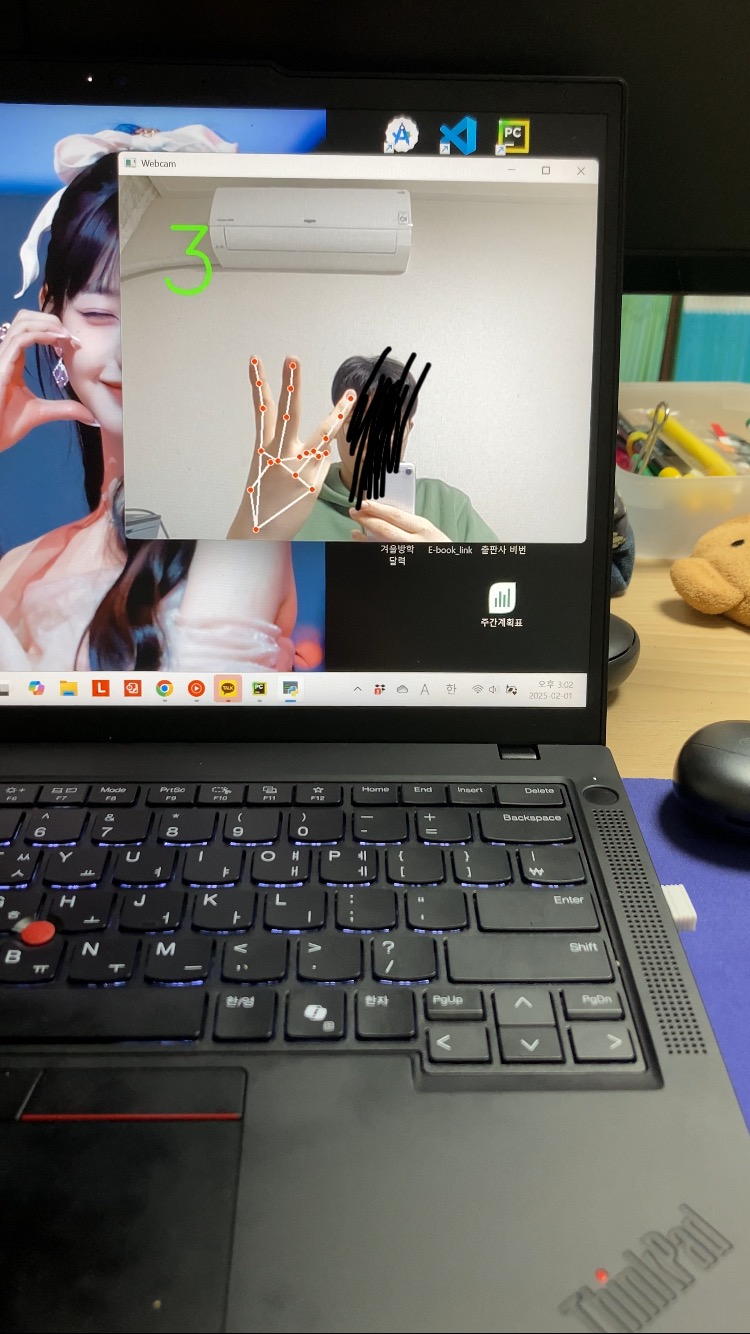
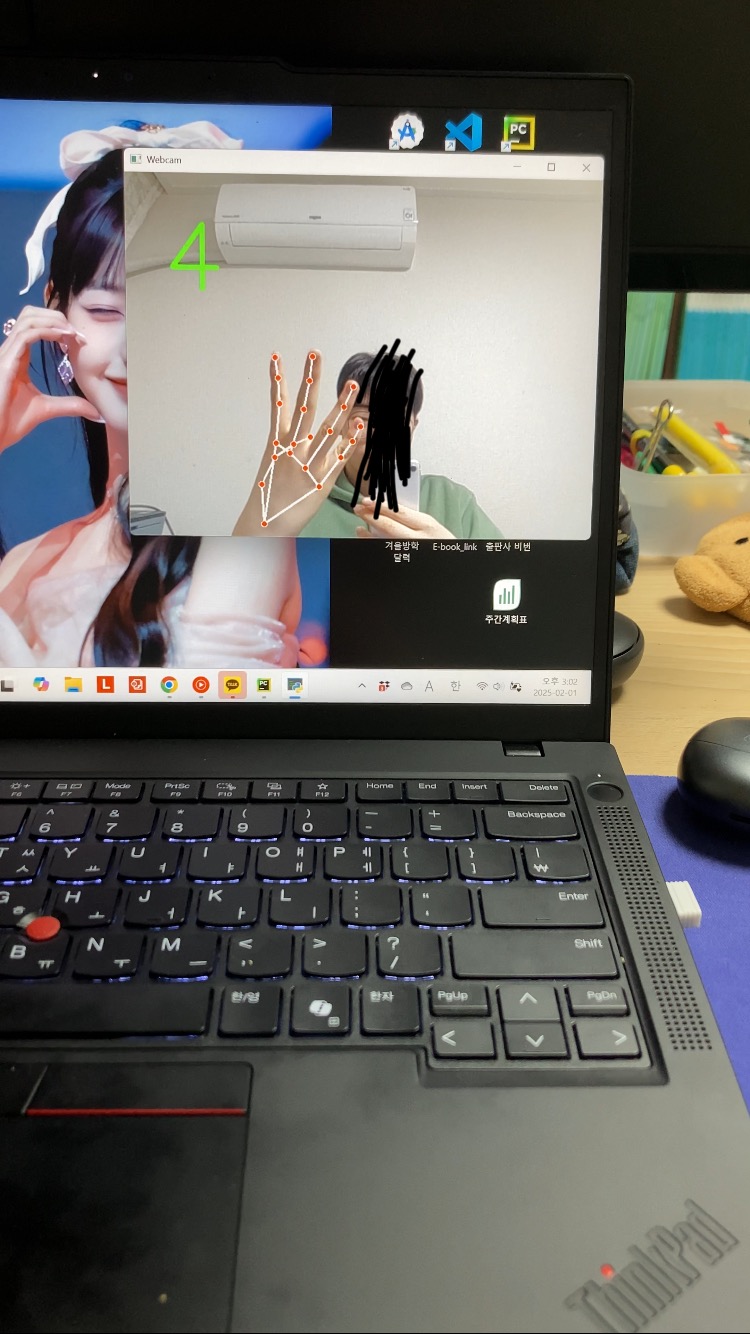
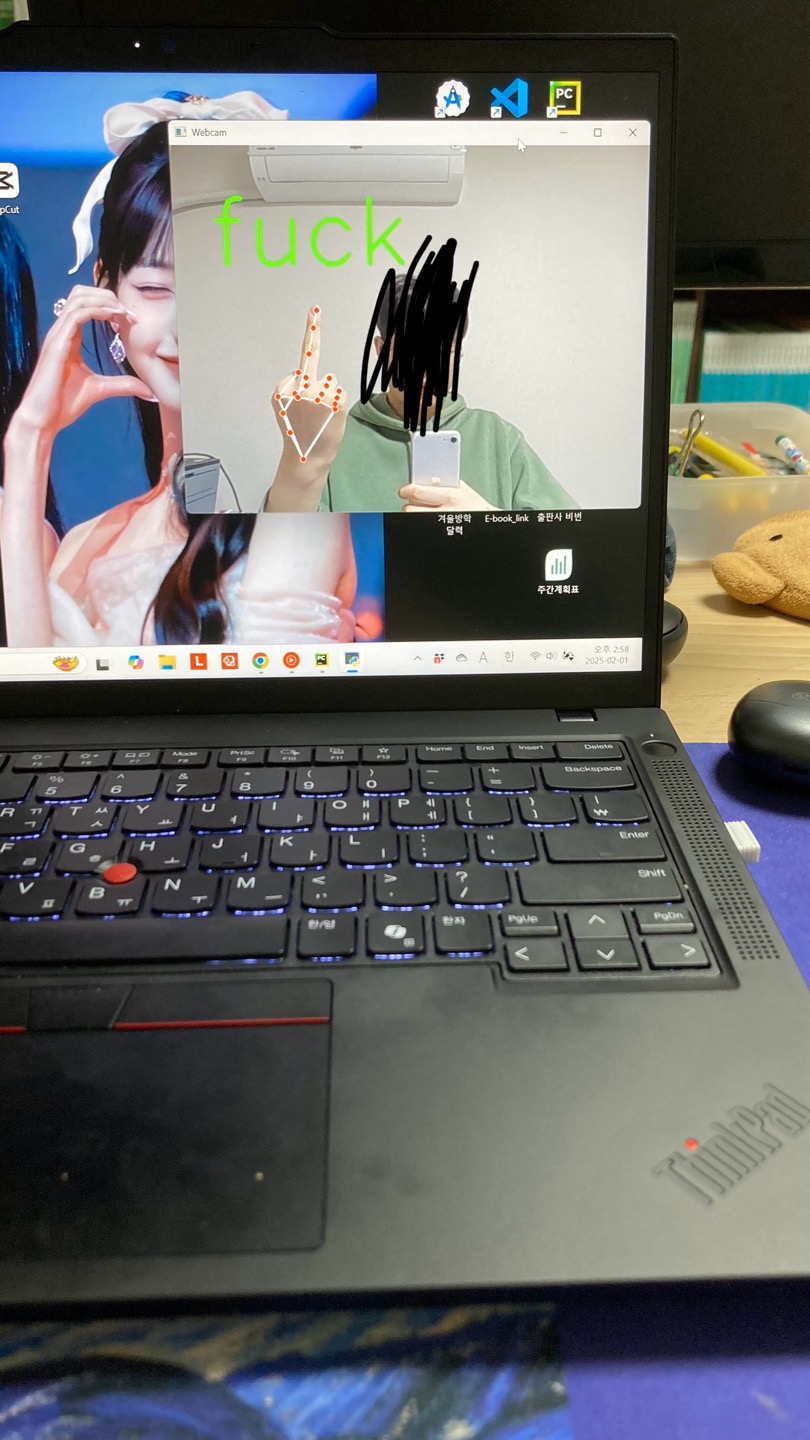
컴퓨터 비전 기술의 발전으로 카메라를 활용한 손동작 인식이 점점 더 보편화되고 있습니다. 이번 글에서는 OpenCV와 MediaPipe를 사용하여 실시간으로 손가락 개수를 세고 'ㅗ'를 감지하는 방법을 설명합니다.


1. OpenCV (Open Source Computer Vision)
OpenCV는 이미지 및 영상 처리에 특화된 라이브러리로, 웹캠에서 영상을 가져와 실시간으로 화면에 출력하는 역할을 합니다.
2. MediaPipe
Google에서 개발한 MediaPipe는 머신러닝 기반의 실시간 컴퓨터 비전 라이브러리로, 손 추적(hand tracking), 얼굴 인식, 포즈 감지 등 다양한 기능을 제공합니다. 이번 프로젝트에서는 MediaPipe Hands 모듈을 활용하여 손가락의 위치를 감지하고 분석합니다.
실시간 손가락 인식의 원리
웹캠을 통해 입력된 영상에서 손의 랜드마크(관절 포인트)를 감지하여 손가락이 펴졌는지 확인하는 방식입니다. 각 손가락의 특정 위치를 비교하여 펴진 개수를 계산하고, 특정한 모양을 인식할 수도 있습니다.

손 랜드마크 개념
MediaPipe는 손을 감지하면 21개의 중요한 지점을 인식합니다. 이 지점들을 활용하면 손가락이 펴졌는지, 어떤 제스처를 만들고 있는지를 확인할 수 있습니다.
| 엄지 | 4번, 3번 랜드마크 |
| 검지 | 8번, 6번 랜드마크 |
| 중지 | 12번, 10번 랜드마크 |
| 약지 | 16번, 14번 랜드마크 |
| 새끼 | 20번, 18번 랜드마크 |
예를 들어 검지 손가락이 펴졌는지 확인하려면 8번 랜드마크(손가락 끝)가 6번 랜드마크(손가락 관절)보다 위쪽(y 값이 작음)에 있는지를 비교하면 됩니다.
소스코드
import cv2
import mediapipe as mp

# Mediapipe 손 인식 모듈 초기화
mp_hands = mp.solutions.hands
hands = mp_hands.Hands(
    max_num_hands=1,
    min_detection_confidence=0.7,
    min_tracking_confidence=0.7
)
mp_draw = mp.solutions.drawing_utils

# 웹캠 열기
cap = cv2.VideoCapture(0)

while True:
    ret, frame = cap.read()
    if not ret:
        break

    # 화면을 좌우 반전(미러 모드)
    frame = cv2.flip(frame, 1)
    h, w, c = frame.shape

    # Mediapipe는 RGB 이미지를 사용
    imgRGB = cv2.cvtColor(frame, cv2.COLOR_BGR2RGB)
    result = hands.process(imgRGB)

    # 손 인식이 되었을 경우
    if result.multi_hand_landmarks:
        for handLms in result.multi_hand_landmarks:
            lm_list = []
            for id, lm in enumerate(handLms.landmark):
                cx, cy = int(lm.x * w), int(lm.y * h)
                lm_list.append((cx, cy))

            # 손가락의 펴짐 상태를 저장할 리스트 (엄지, 검지, 중지, 약지, 새끼)
            finger_status = []

            # 엄지: 일반적으로 x 좌표를 비교 (오른손 기준)
            if lm_list[4][0] < lm_list[3][0]:
                finger_status.append(1)
            else:
                finger_status.append(0)

            # 검지: tip (8)과 pip (6) 비교 (y 좌표가 작으면 위쪽에 있음)
            if lm_list[8][1] < lm_list[6][1]:
                finger_status.append(1)
            else:
                finger_status.append(0)

            # 중지: tip (12)과 pip (10)
            if lm_list[12][1] < lm_list[10][1]:
                finger_status.append(1)
            else:
                finger_status.append(0)

            # 약지: tip (16)과 pip (14)
            if lm_list[16][1] < lm_list[14][1]:
                finger_status.append(1)
            else:
                finger_status.append(0)

            # 새끼: tip (20)과 pip (18)
            if lm_list[20][1] < lm_list[18][1]:
                finger_status.append(1)
            else:
                finger_status.append(0)

            total_fingers = sum(finger_status)

            # 욕 제스처 판 단: 오직 중지만 펴진 경우
            # finger_status의 인덱스: [엄지, 검지, 중지, 약지, 새끼]
            if finger_status[2] == 1 and finger_status[0] == 0 and finger_status[1] == 0 and finger_status[3] == 0 and finger_status[4] == 0:
                display_text = "fuck"  # 욕 이모티콘
            else:
                display_text = str(total_fingers)  # 펴진 손가락 개수를 숫자로 표시

            # 화면에 텍스트 표시
            cv2.putText(frame, display_text, (50, 150),
                        cv2.FONT_HERSHEY_SIMPLEX, 4, (0, 255, 0), 5)

            # 손의 랜드마크와 연결선 그리기
            mp_draw.draw_landmarks(frame, handLms, mp_hands.HAND_CONNECTIONS)

    cv2.imshow("Webcam", frame)
    # 'q' 키를 누르면 종료
    if cv2.waitKey(1) & 0xFF == ord('q'):
        break

cap.release()
cv2.destroyAllWindows()'python' 카테고리의 다른 글
| 파이썬 출력하는 3가지 방법 (0) | 2025.07.06 |
|---|